
At TAS life, we always emphasize: any insurance protection is better than having none. At the same time, life circumstances can be different, and sometimes the Client may not have the opportunity to pay the next insurance premiums on time.
If such a situation occurs, we recommend renewing the contract at the first opportunity. To make this process quick and convenient, we have optimized it in the Client Cabinet: now, to restore insurance protection, you only need to complete from one to three steps.
In this blog, we will tell you about the key points of contract renewal and show you how to do it online without unnecessary complications.
First of all, before renewing the contract, we recommend checking whether your personal data has been updated – how to do this you can find here.
Renewing the contract in 1 step
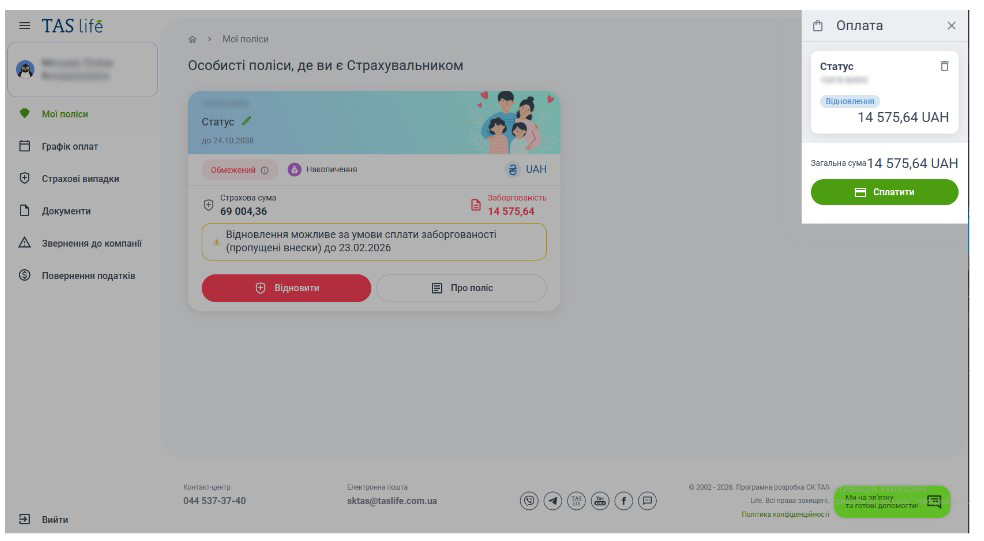
The simplest and fastest way to renew the contract is to do so less than 120 days from the date of the missed premium. In this case, you need to find the Contract in the “My Policies (My Contracts)” menu under the “Restricted” tab, click “Restore”, and pay the outstanding amount there in the Client Cabinet.
Done!
Renewing the contract in 2 steps
If more than 120 days have passed since the missed premium, the Client will need to complete a Questionnaire.
In the case when the Policyholder is also the Insured Person, the contract is renewed in two steps: completing the Questionnaire and signing the Application for Restoration via Diia.Signature.
Here is what it looks like:
1. We go to the “My Policies (My Contracts)” menu and click the “Restore” option next to the required policy.
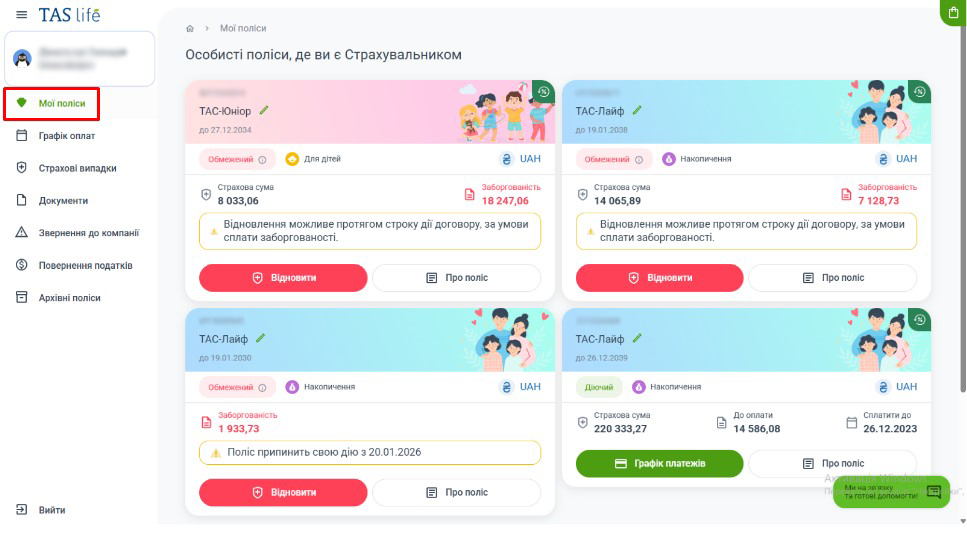
Please note: If you have a savings (main) contract with a risk component (additional contract), you can restore either both contracts at once or only the main one first – in the second option, you need to uncheck the box next to the risk contract and click “Restore”.
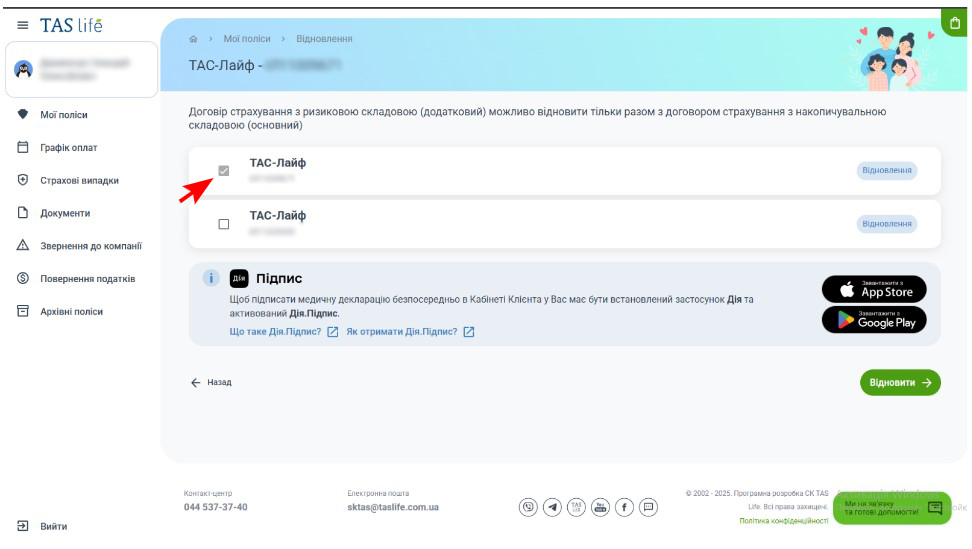
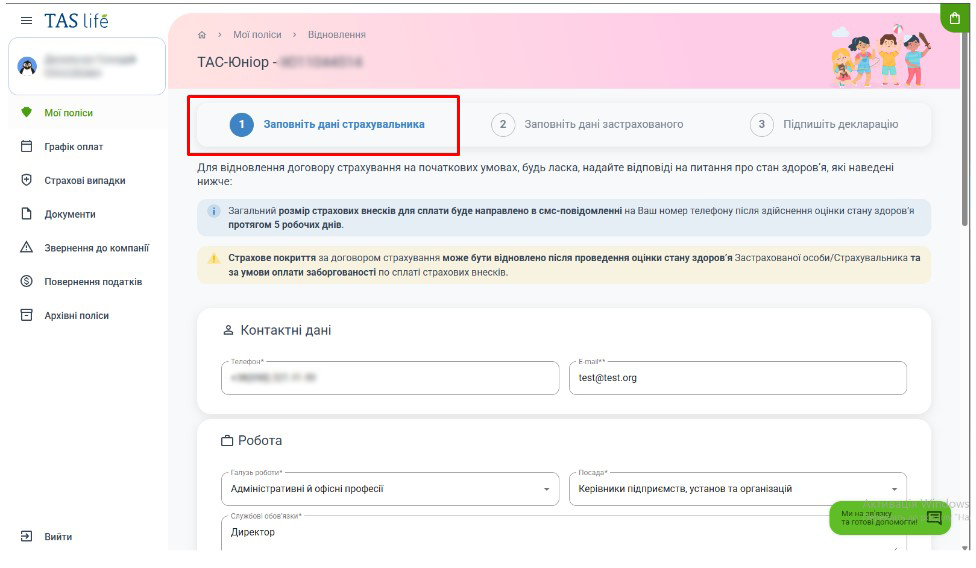
2. We complete the Questionnaire, which consists of personal data, occupation and the Health Declaration. It is important to provide up-to-date and truthful information.
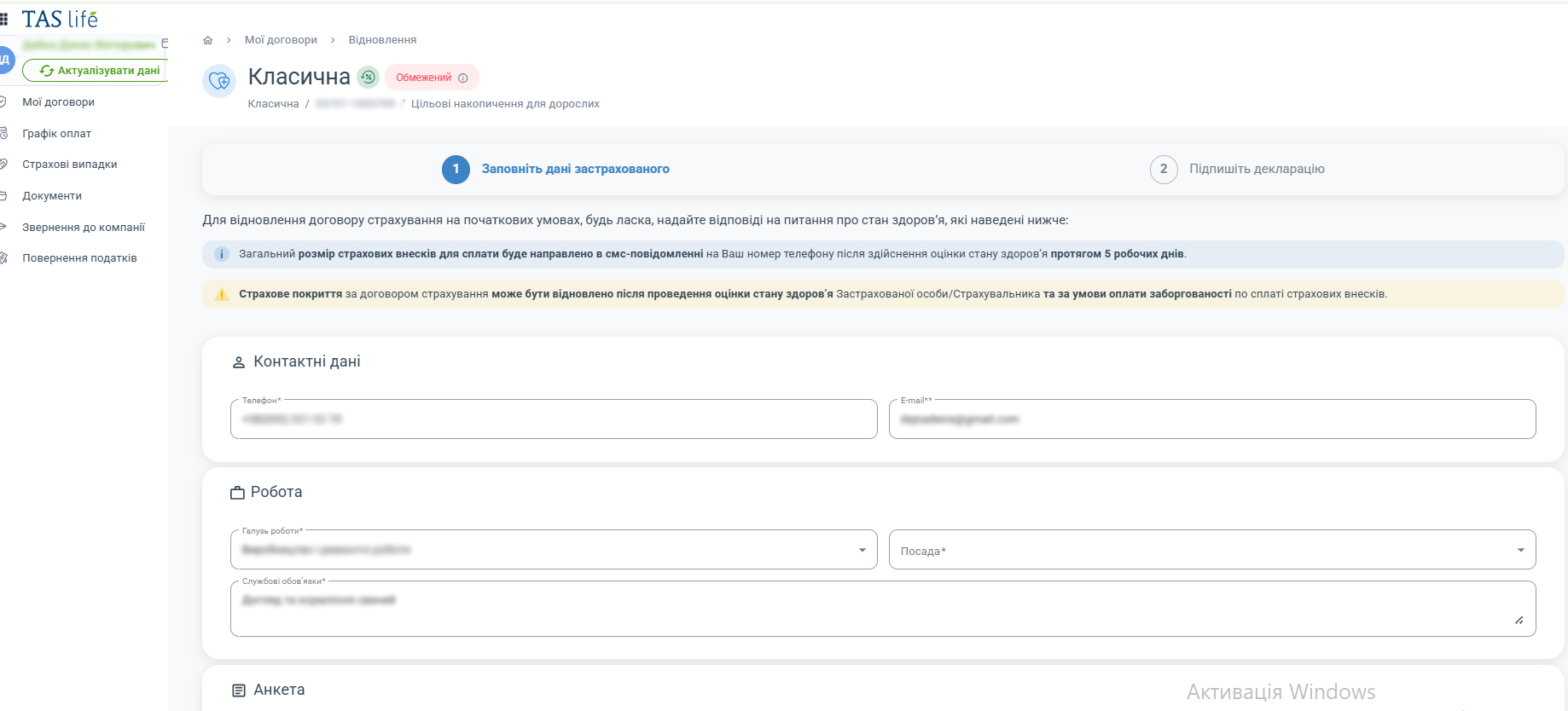
If, in response to one of the three questions in the Health Declaration, you select the option “YES”, you need to provide additional information in the field that will appear below the question and, if necessary, upload documents at the end of the Questionnaire.
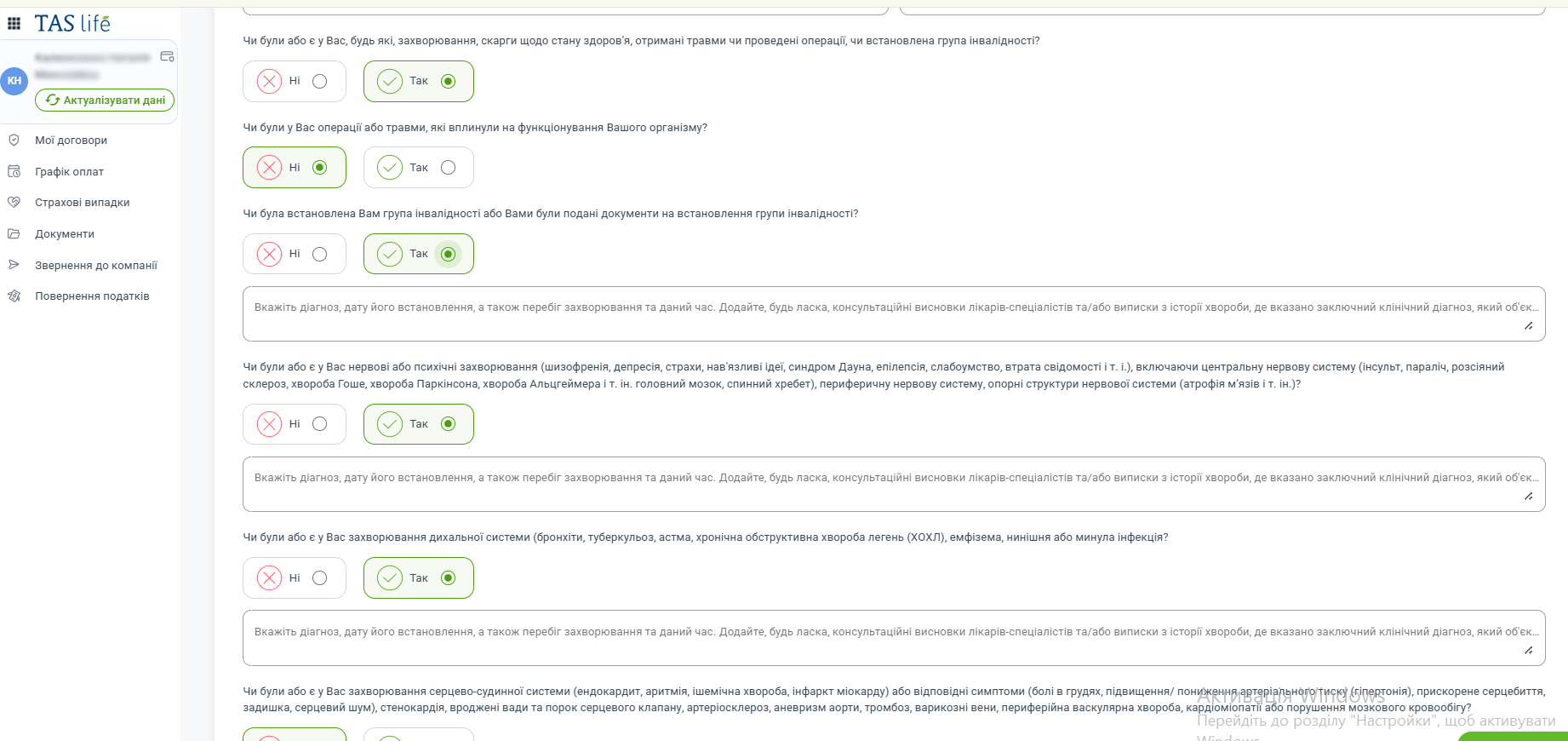 3. After completing the Questionnaire, click “Continue” and proceed to signing the Application for Restoration together with the Health Declaration.
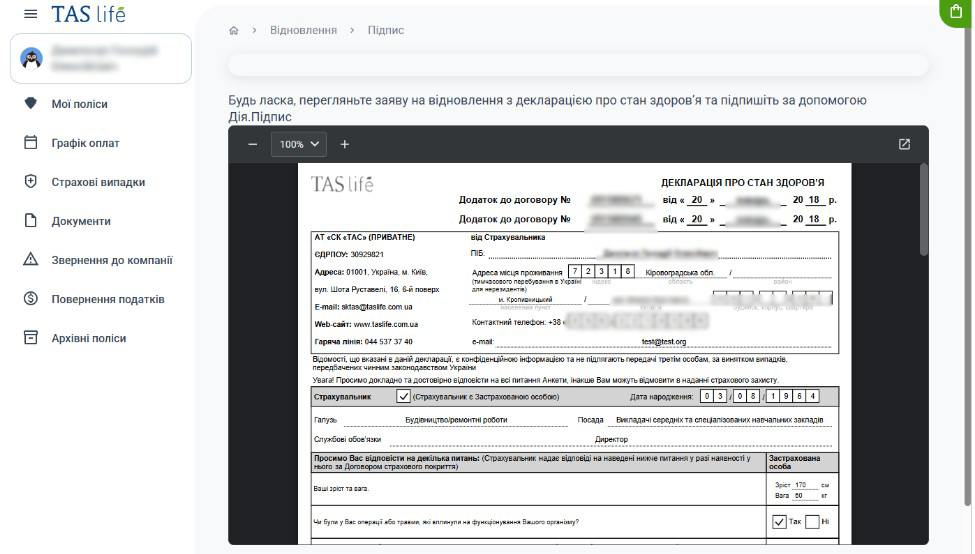
Please note: you can enlarge the document or open it in a separate window to carefully check the information entered.
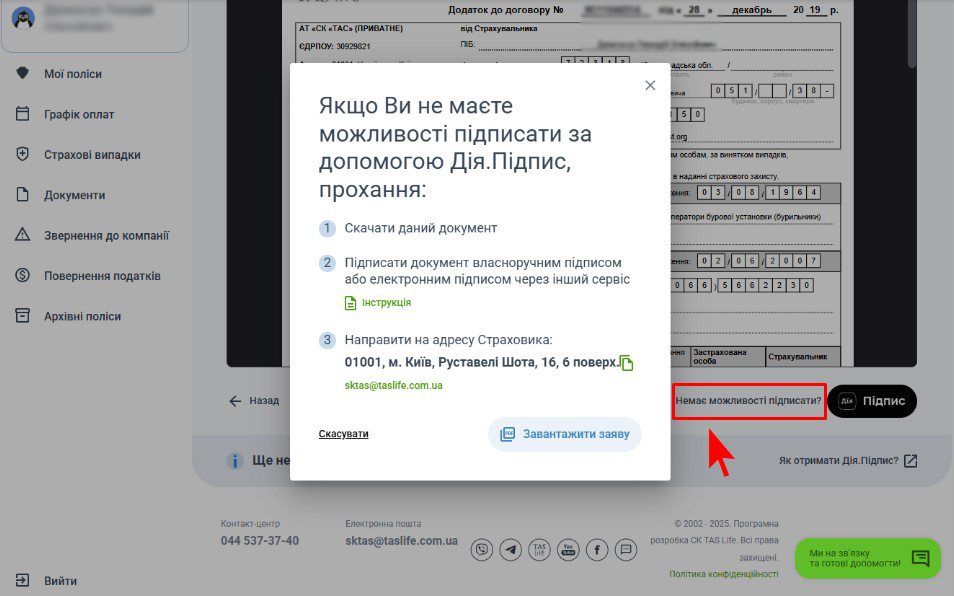
Also, on this page you have the option to download the application – this will be needed if you want to print the document and sign it by hand, or sign the application file through another service other than Diia.
To download the application, click on the text “Unable to sign”, located next to the Diia button.
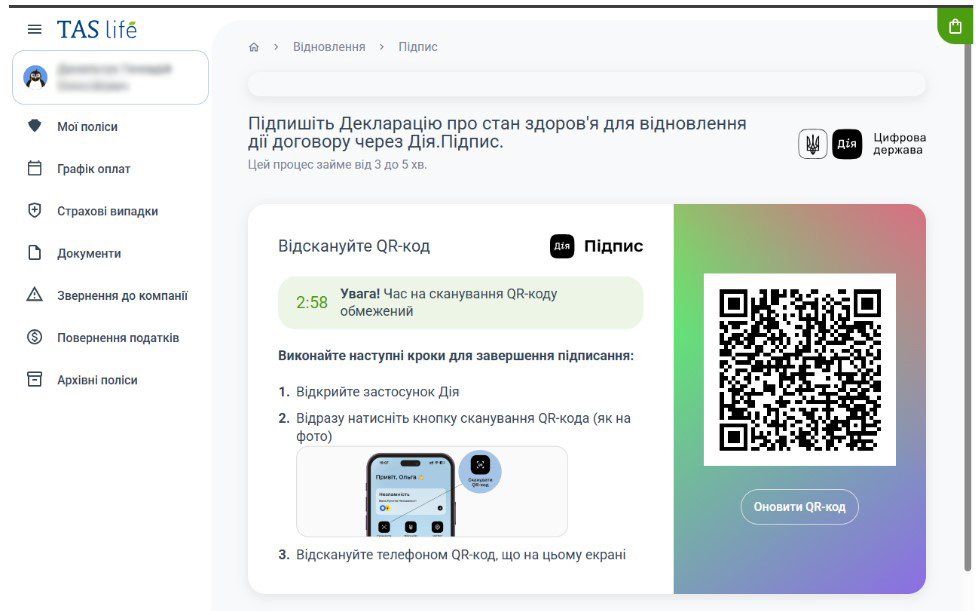
If all the data has been entered correctly, proceed to signing the Application and click the Diia.Signature button at the bottom of the page.
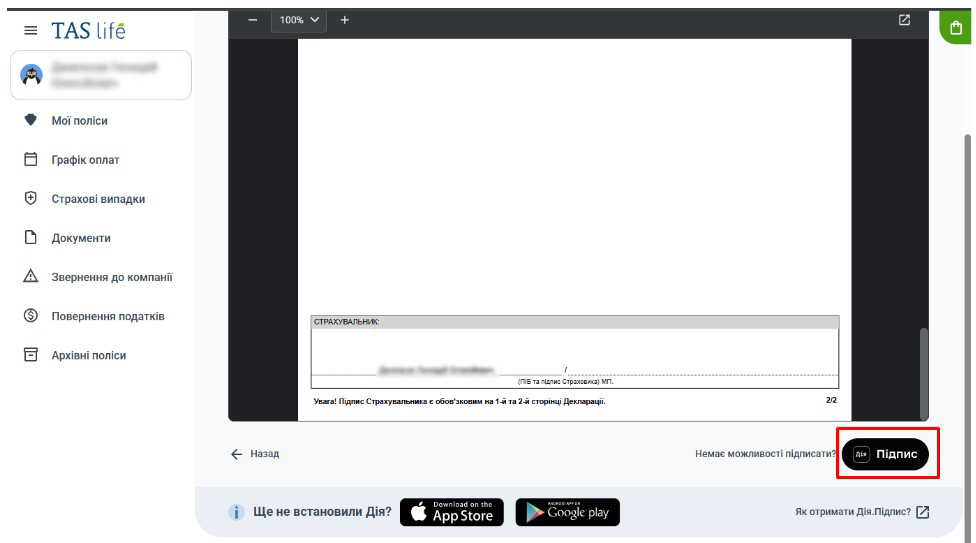
Follow the on-screen instructions to sign the document from a computer or by scanning the QR code using the Diia application.
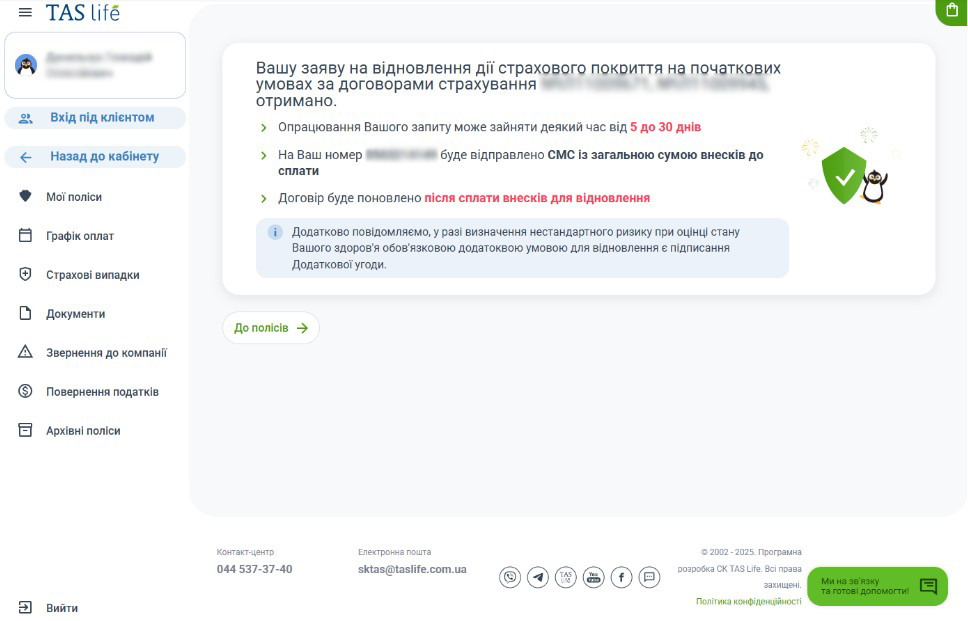
After confirming the request to sign the Application and Declaration, we see a message that the application for restoration has been received!
4. Now all that remains is to pay the amount of premiums for the missed period.
An SMS with the total payment amount will be sent to you after your request has been processed, which may take from 5 to 30 days.
Please note: If, while processing the restoration request, changes need to be made to the Insurance Contract, renewal will be possible under new terms – and in this case, we will prepare an additional agreement for the Client, which will need to be signed (this can also be done online).
After the premiums are paid, the contract will be renewed.
Renewing the contract in 3 steps
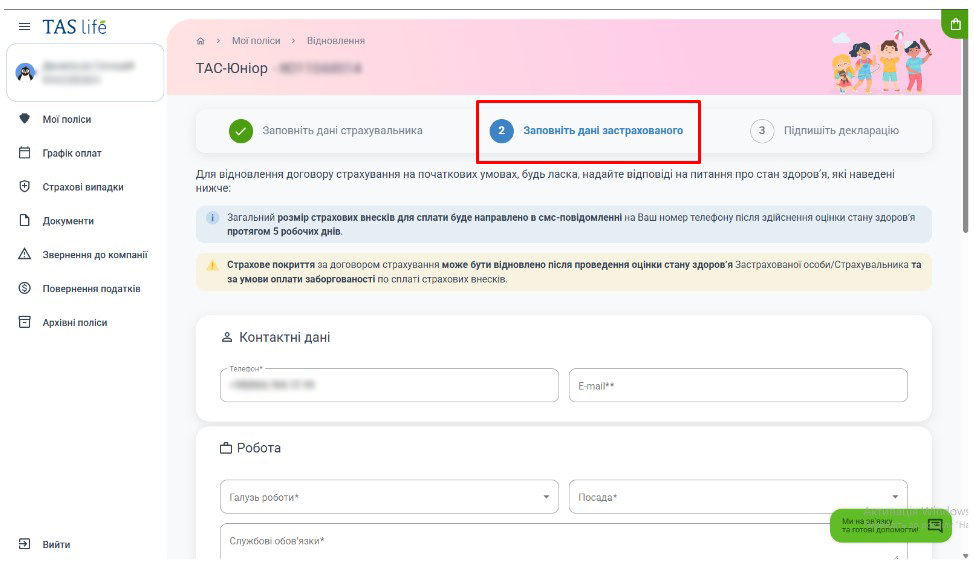
This occurs when the Policyholder is not the Insured Person (for example, in all insurance products where the Insured Person is a child). In this case, the Policyholder needs to complete the Questionnaire first for themselves
and, as the next step, for the Insured Person.
The third step is signing the Application and Health Declaration.
What else do you need to know?
- For renewing a contract under the “TAS-Pension” insurance product, completing the Health Declaration is not required.
- Renewal of a contract under the “TAS-Doctor” insurance product is possible within 120 days from the date of the missed premium. The Health Declaration is completed after the grace period expires (i.e. 31 days after the date of the missed premium).
We hope this blog will be useful to you and help you restore reliable insurance protection from TAS life.
We would also like to remind you that if you have any questions about renewing your contract, you can contact our Consultants – either via the online chat located directly in the Client Cabinet or by calling 044 537 37 40.